

The short answer
For remote work, prioritise stable upload, low latency and a clean path to the router over chasing a giant download number. Wired beats congested Wi-Fi for critical calls.
How to think about speeds
The FCC's broadband speed guide (checked 28 October 2026) frames requirements by activity and how many people share the link. Video conferencing, cloud backups and HD streaming stack differently than browsing alone. Treat ISP "up to" figures as ceilings, not guarantees.
Video calls
Upstream bits carry your camera and screen share. If upload saturates — cloud backup, kids streaming, large sync — your face freezes first. Schedule heavy uploads off-call, and see video call tips once the bits are stable.
Wi-Fi placement
- Router central, elevated, away from microwaves and thick masonry
- Prefer 5 GHz / 6 GHz for capacity when range allows
- Reserve 2.4 GHz for longer reach / IoT
- Update firmware; limit guest-network abuse during stand-ups
Considering a new radio generation? Do you need Wi-Fi 7?
Power blips
As an Amazon Associate we earn from qualifying purchases — more in our affiliate disclosure
Fibre ONTs and Wi-Fi gateways hate short outages. APC BE600M1 UPS sized for modem + router keeps sessions alive. Offline copies of critical files on Samsung T7 Portable SSD 1TB cover longer cuts.

Timing
Even perfect bandwidth fails if you join the wrong hour after DST — scheduling across time zones.
File sizes
Estimate transfer times once you know your real Mbps from a trusted speed test to a nearby server: megabits per second divided by 8 gives megabytes per second.
Reading
Remote: Office Not Required on remote practice. How Computers Really Work if you want the layers under "why is my Zoom pixelated."
Latency and jitter
Calls care about round-trip time and how much that delay jumps. A 200 Mbps path with spiky jitter can feel worse than steady mid-tier fibre. Test toward a server near your meeting region, not only a distant speed-test mirror.
Household concurrency
Add simultaneous uses: two HD calls, a backup upload, a game patch, a TV stream. Asymmetric plans fail on upload first. Schedule large outbound syncs overnight. The FCC broadband speed guide frames activity and concurrent-user needs without a single magic number for every home.
Interference and placement
Microwaves and neighbouring APs punish 2.4 GHz. 5 GHz and 6 GHz offer capacity with less range. Walk-test signal in the chair you actually use. Mesh helps coverage; it does not invent ISP megabits.
Router priorities
Where QoS exists, elevate the work laptop during meeting blocks. Put guests on a guest SSID. Change default admin passwords. Segment IoT when the router supports multiple SSIDs.
Freelance failover kit
- Phone hotspot steps written down before you need them
- UPS on modem and AP — APC BE600M1 UPS
- Offline copy of the deck on Samsung T7 Portable SSD 1TB
- Calendar buffers around DST changes — time zones
Upgrade the plan or the radio?
If a wired test already under-delivers the plan, call the ISP. If wired is fine and Wi-Fi is not, fix placement or radio generation (Wi-Fi 7) before buying a higher tier you cannot use. Remote: Office Not Required and How Computers Really Work help with remote practice and the layers under pixelated calls.
Measure for a week
Log three wired and three Wi-Fi tests at the same clock times for five workdays. Note upload, download and latency. Compare against the worst call that day. Patterns beat one heroic speed-test screenshot when you negotiate with an ISP or decide on mesh.
VPN and call quality
Corporate VPNs can add latency and hairpin traffic through distant gateways. Split-tunnel policies (when your employer allows them) often improve meeting media. If you cannot split-tunnel, test calls on and off VPN and share the numbers with IT rather than guessing.
Field notes for connectivity
agnostic of brand: the work chair location is the only RF survey that matters. Test there, at meeting time, on the network you actually use.
Document ISP ticket numbers and modem light states when things fail. Future-you will thank present-you during outages.
Separate “nice streaming” from “must-win client call.” Only the latter justifies emergency hotspot spend.
Operational checklist
- Label the modem power brick
- Store hotspot APN steps offline
- Retest after every ISP equipment swap
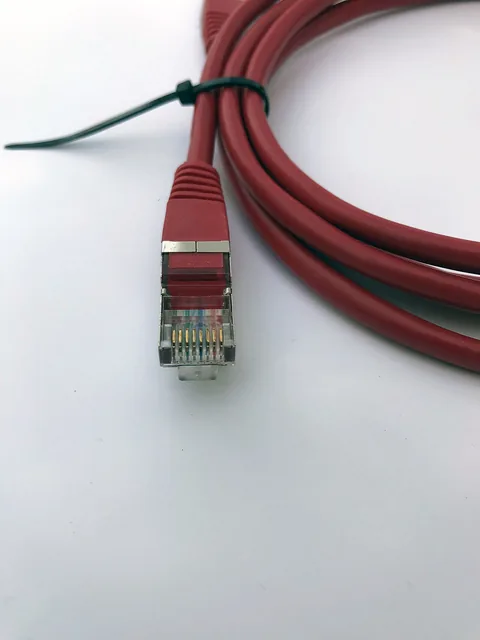
- Keep one ethernet cable in the desk drawer
Pitfalls
- Blaming Zoom when upload is saturated by backups
- Buying mesh before trying a better AP seat
- Ignoring VPN hairpinning
Source habit
Re-open the primary sources linked in this article whenever a vendor revises enrolment rules, specification tables or programme dates. Screenshot the version you relied on when making a purchase decision. Treat affiliate product boxes as convenience links to live listings — confirm price, seller and compatibility yourself.
Scope reminder
This is general education published 28 October 2026. It is not personalised advice, not a hands-on review lab, and not a guarantee that a product will fit your desk, jurisdiction or threat model. When money, debt, tax or legal status is involved, speak with a qualified professional in your country.
Implementation notes
When you apply the ideas in this guide on internet speed for working from home, write down your starting point before changing anything. Baselines make it obvious what helped.
Prefer primary documentation over social-media summaries. The Sources section at the bottom of the article is the verification trail for 28 October 2026.
If a product box appears, treat it as a convenience link to a live Amazon listing via our affiliate disclosure — confirm compatibility, seller and returns yourself.
Internal links to other Remotely Scaled posts exist so you can deepen one decision at a time instead of boiling the ocean in a single shopping night.
For money topics, remember the not-advice callout: local tax, labour and consumer-credit rules differ. For security topics, your threat model differs from a random blogger’s.
Revisit the article after major OS, silicon or programme changes. Specification pages and enrolment portals move; your notes should capture which version you trusted.
Share the checklist with a teammate or partner and ask them to spot gaps. Fresh eyes catch missing cables, missing MFA backups and missing invoice fields.
Time-box implementation: sixty focused minutes beat a weekend of half-finished upgrades that leave the desk worse than before.
When evidence quality is low or vendor footnotes dominate, say so out loud in your decision log. Confidence theatre is expensive.
Keep receipts, serial numbers and firmware versions in one folder. Warranty and incident response both need that paper trail.
If you travel, photograph cable layouts and store a redundant critical file offline. Mobility without redundancy is hope as a strategy.
Measure twice when numbers matter: speed tests, sitting hours, runway weeks, margin percentages. Anecdotes feel true and still mislead.
Decline features that do not serve a weekly job. Complexity has a carrying cost in updates, failure modes and attention.
End with a three-line summary in your own words: what you will do this week, what you will buy only after testing, and what you will explicitly ignore.
Review cadence
Schedule a thirty-minute review thirty days after you apply this article. Keep what worked, undo what did not, and update your personal checklist. That cadence turns a blog post into an operating habit without pretending a single page can see your full context.
If you work with others
Paste the short answer and the checklist into your team wiki. Agree who owns updates when vendors change URLs. Consistency across freelancers and teammates matters more than any one person memorising every caveat.
Products mentioned
The products linked above, with what to check before you buy. They are examples, not endorsements; we have not been paid to include any of them.
FAQ
Download or upload?
Calls and screen shares need solid upload. Downloads dominate large file pulls and streaming.
What does the FCC say?
The FCC broadband speed guide explains that needs vary by activity and concurrent users; higher tiers help households with several simultaneous HD streams and calls.
Wired vs Wi-Fi?
Ethernet to the router is still the reliability king for meetings. If Wi-Fi, sit closer, use 5/6 GHz, reduce interference.
Outages?
A UPS on modem/router (APC BE600M1 UPS) bridges short blips so meetings do not die with the lights.
Wi-Fi 7?
Wi-Fi 7 explainer.
Further reading
Books we think are worth your time if you want to go deeper. We have not been paid to include any of them.

Remote: Office Not Required
Jason Fried & David Heinemeier Hansson
Early, practical case for distributed work.
View on Amazon ↗ Affiliate link
How Computers Really Work
Matthew Justice
Hands-on tour of computing layers — good companion to GiB vs GB.
View on Amazon ↗ Affiliate link
Book covers via Open Library; cover art belongs to the publishers.
Sources
All links opened and checked on 28 Oct 2026. Figures are as published by each source on the date shown; we did not run our own benchmarks.
- FCC: Broadband speed guide, checked 28 Oct 2026